3D wax printing billing software
Billing software for CPX 3D wax and resin printing
Bill printed designs by weight, keep design numbers on every line, and know what each client owes, without a separate invoicing tool.
Free during early access. Write to us and a person will reply.
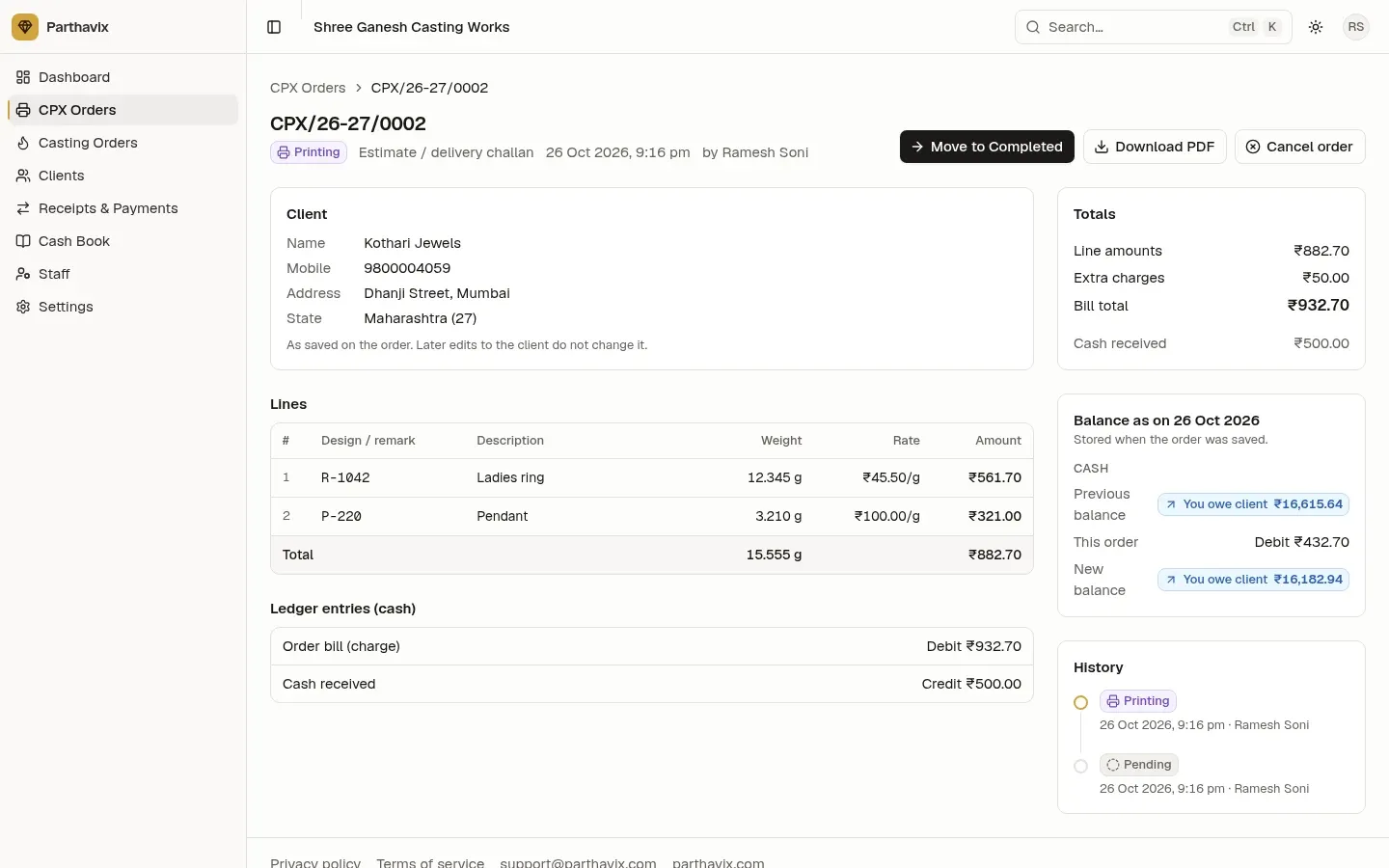
Weight × rate, line by line
Every line is rounded to the paisa on its own, and the bill is the sum of the lines plus extra charges.
| R-1042 ring, 12.345 g × ₹45.50/g | ₹561.70 |
|---|---|
| P-220 pendant, 3.210 g × ₹100.00/g | ₹321.00 |
| Extra charges | ₹50.00 |
| Taxable value | ₹932.70 |
| CGST 9 % + SGST 9 % | ₹83.94 + ₹83.94 |
| Round-off | +₹0.42 |
| Invoice total | ₹1,101.00 |
| Cash received with the order | ₹500.00 |
| Client owes from this order | ₹601.00 |
The GST rate and SAC code are your own settings; confirm them with your CA.
Fast to enter, easy to check
Keyboard-first order entry. Tab moves across cells and Enter adds a line, so a long design list goes in quickly.
Design numbers on every line. Keep the design or remark with each printed piece, on screen and on the PDF.
Pending → Printing → Completed → Delivered. Move each order one step at a time. Every change records who did it and when.
Works on the shop floor. On a phone, each line becomes a card that is easy to fill in.
CPX billing questions
How is a CPX order billed?
Each line has a design or remark, a description, the weight in grams and a rate per gram. Line amount = weight × rate, rounded per line. Extra charges are added, and GST is added when the order is a tax invoice.
Can I set a default rate per gram?
Yes. The CPX rate per gram in your settings is filled in on every new line, and you can change it on any line.
Does a CPX order touch the gold or silver ledger?
No. A CPX order only charges cash: the bill goes to the client’s cash balance and any cash received with the order is credited against it.
Can my printing staff enter orders?
Yes. CPX staff can create orders, move them from Pending to Printing, Completed and Delivered, and print the PDF. They never see client balances.
Bill your next print job in Parthavix
Set your rate per gram once; every new CPX order starts with it.
Free during early access. Write to us and a person will reply.
Other features
- Gold casting software
Gold and silver casting job work with fine weight, wastage in % or grams, labour, job charge and DIE wastage on the right metal.
- Gold and silver ledger for jewellers
A khata for every client with separate gold, silver and cash balances, a passbook, receipts and payments.
- GST invoices for jewellery job work
Tax invoices with CGST + SGST or IGST, round-off, amount in words and your bank details, as a PDF.