Jewellery manufacturing software
Casting and CPX orders, fine weight, khata and GST invoices, in one place.
Parthavix is software for jewellery manufacturing units that do gold and silver casting and CPX 3D wax printing for trade clients. Orders, fine weight, wastage, GST invoices and each client’s gold, silver and cash balance stay in one place.
Free during early access. Write to us and a person will reply.

Where the day goes in a casting or CPX unit
Most units run on a job card, a notebook and a calculator. That works until a client asks for their balance.
Fine weight worked out by hand. Gross, purity, wastage and DIE loss are calculated on a calculator for every order, and checked again when the client disputes the balance.
Gold, silver and cash in one notebook. Metal a client gave, metal you returned and money owed sit on the same pages, so the real balance of each is hard to see.
Advances and dues get lost. Cash or gold received with an order, an order that was cancelled later, a part payment: each one changes what the client owes.
Invoices typed again. The job card is written in one place and the GST invoice is made again in another tool, with the same numbers typed twice.
Everything a jewellery job-work unit needs, and nothing it doesn’t
Built around how casting and 3D wax printing units actually bill their trade clients.
Casting software
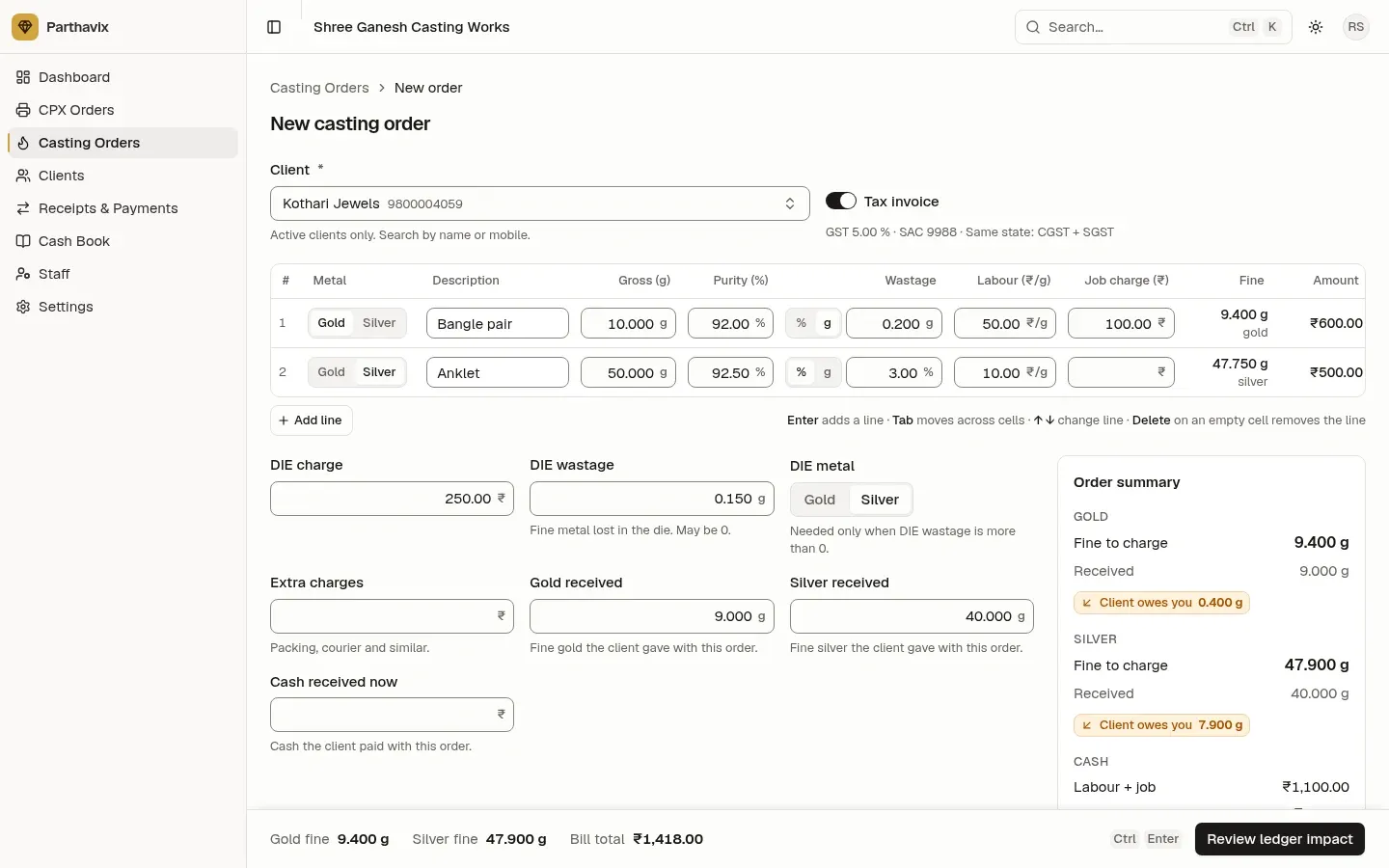
Gold and silver casting job work with fine weight, wastage in % or grams, labour, job charge and DIE wastage on the right metal.
CPX 3D wax printing
Per-gram billing for 3D wax and resin printing, with design numbers, extra charges and cash received on the order.
Gold & silver ledger
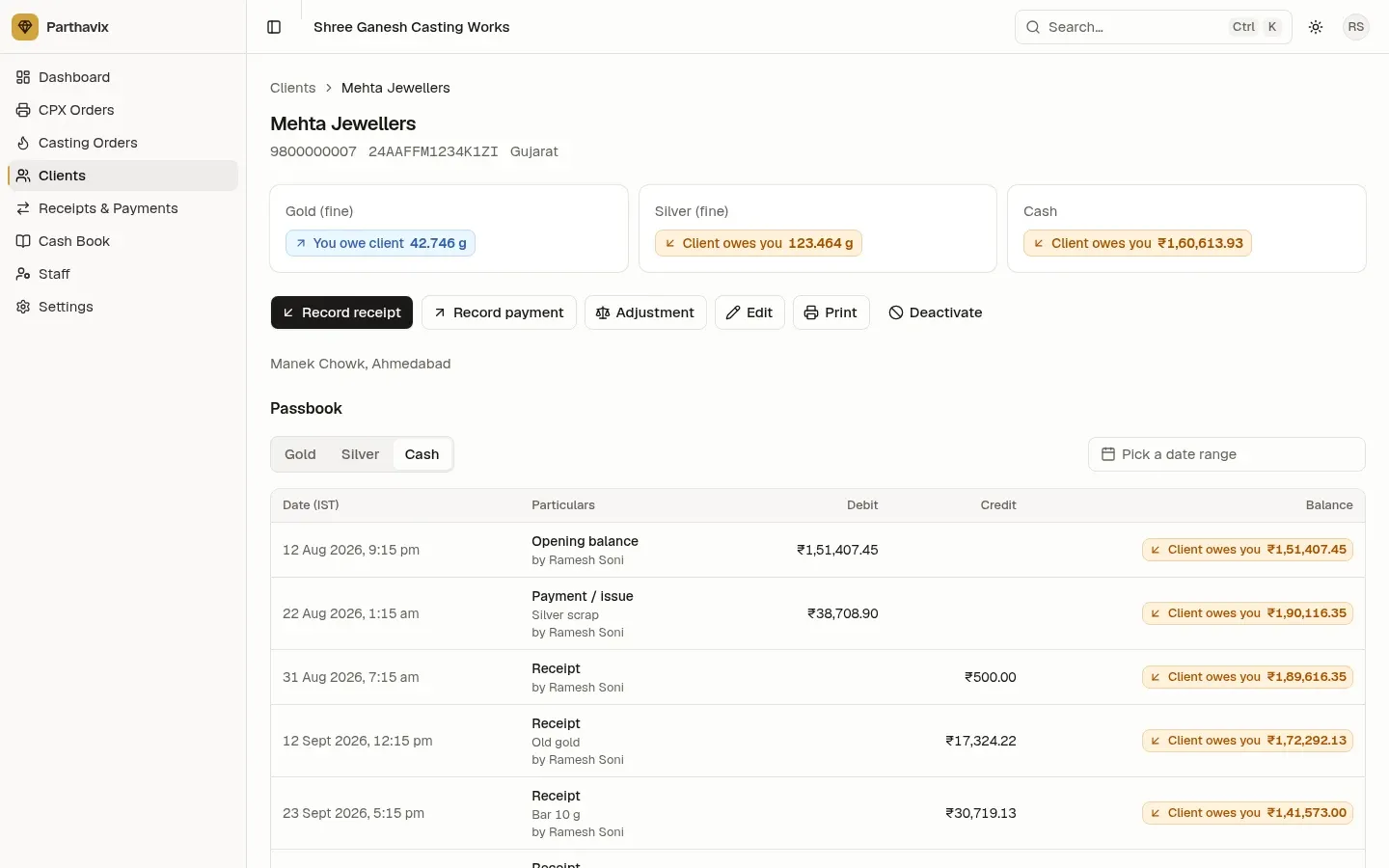
A khata for every client with separate gold, silver and cash balances, a passbook, receipts and payments.
GST invoices
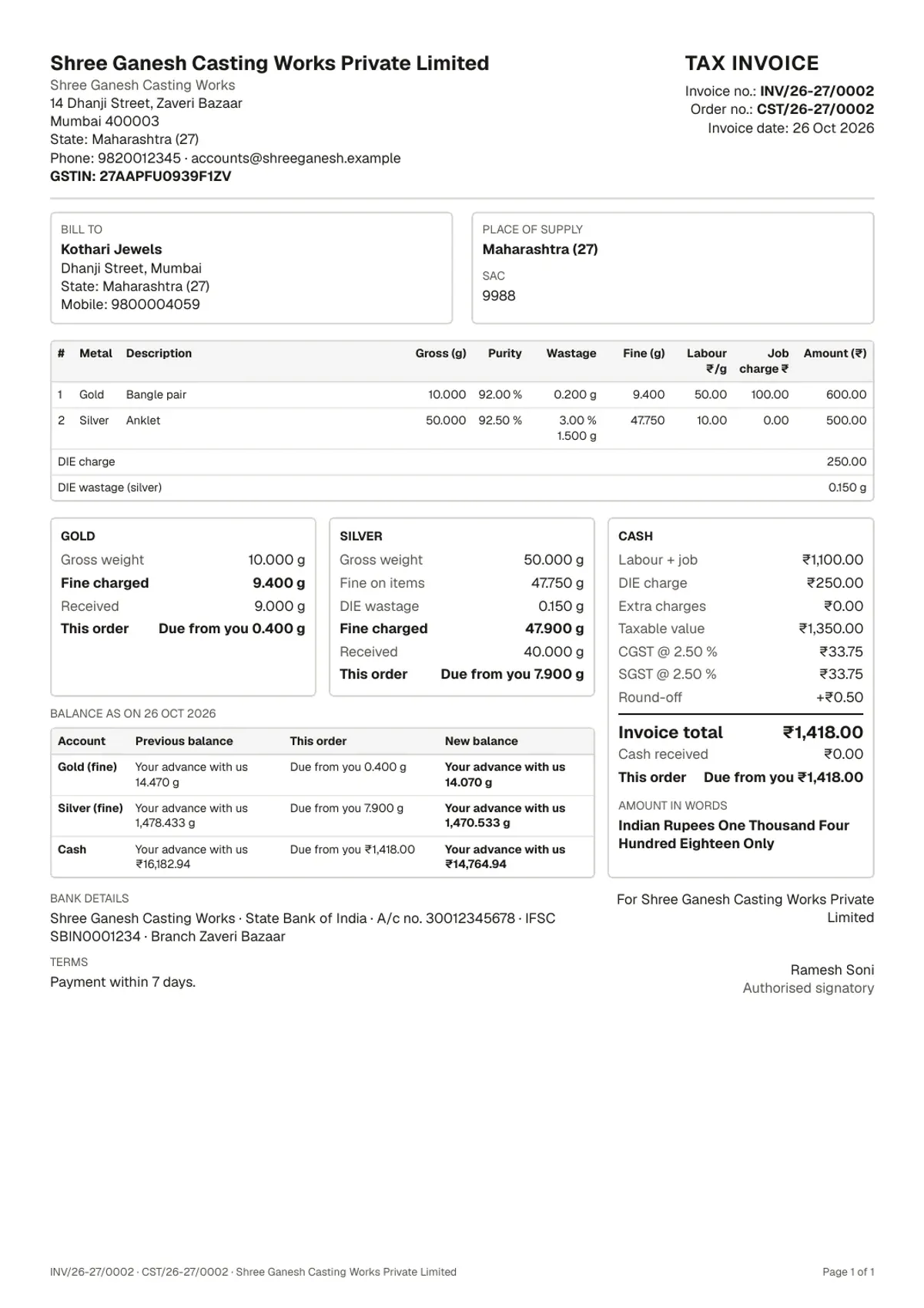
Tax invoices with CGST + SGST or IGST, round-off, amount in words and your bank details, as a PDF.
Today at a glance. Cash in and out today, what clients owe you and what you owe them, and pending jobs by status.
Staff with the right access. Owner, manager, CPX staff and casting staff. Staff enter orders but never see client balances.
Nothing is overwritten. Orders are never edited. A mistake is cancelled with a reason, and every entry stays in the ledger.
From job card to settled balance in four steps
Set up your company.
Add your GSTIN, address, bank details, default rates, purity and wastage. It takes a few minutes.
Add your clients.
Name, mobile and state, with any opening gold, silver or cash balance they carry with you today.
Enter orders as work comes in.
Each casting or CPX order posts to the client’s ledger after you check the gold, silver and cash it adds.
Print and settle.
Download the estimate or tax invoice, record receipts and payments, and see every balance on the dashboard.
See it before you start
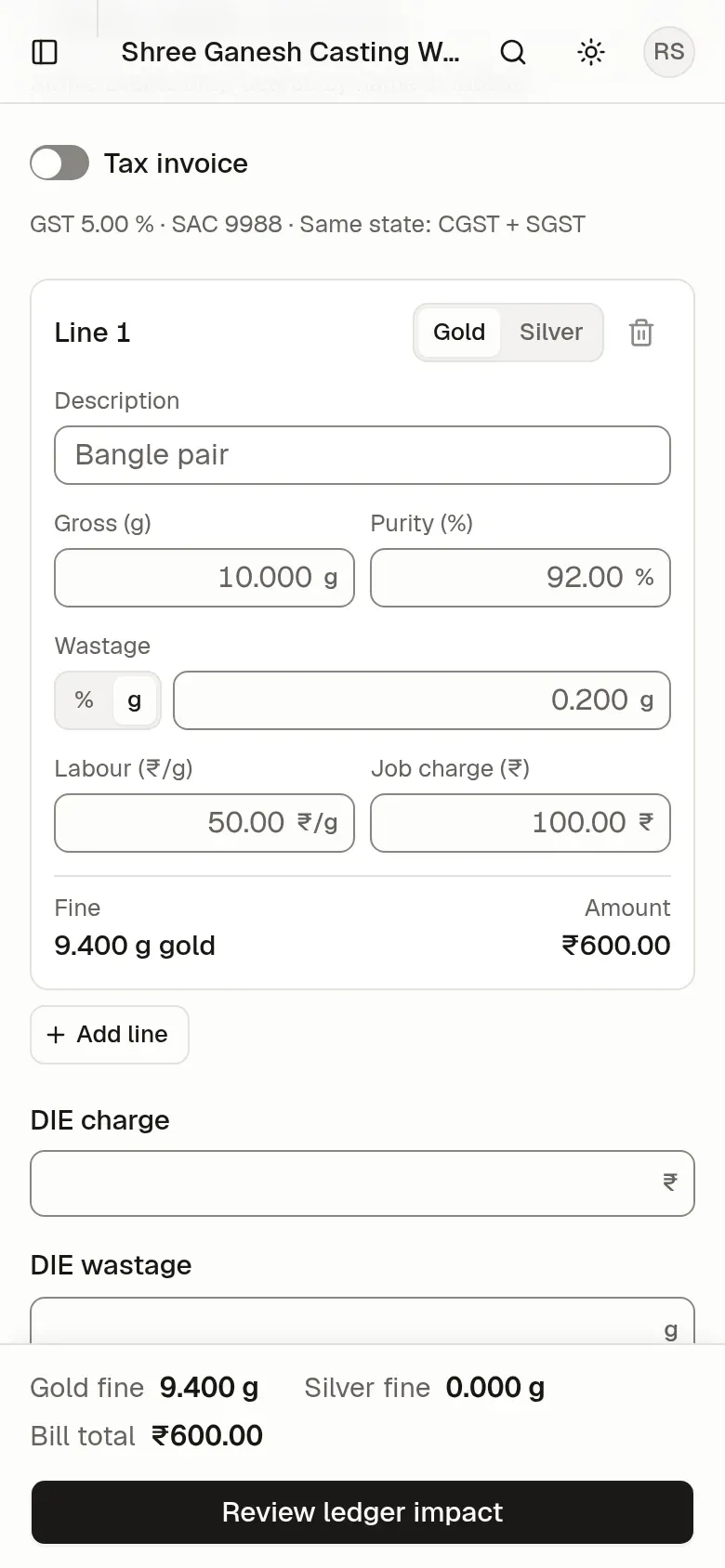
These are real screens from Parthavix, with demo clients and orders.
Made for the units that make the jewellery
Casting units. Gold and silver casting for jewellers and wholesalers, with the client’s own metal.
CPX and 3D printing units. 3D wax and resin printing of designs, billed by weight.
Units that do both. One company, one client list and one ledger for both kinds of work.
Free during early access
Use every feature of Parthavix free of charge while we are in early access. No card needed.
Questions jewellers ask us
Who is Parthavix for?
Jewellery manufacturing units that do gold and silver casting, CPX (3D wax or resin printing), or both, as job work for trade clients such as jewellers and wholesalers.
Does it keep gold and silver separate?
Yes. Every client has three separate balances: fine gold, fine silver and cash. Gold and silver are never added together anywhere.
Can I make GST tax invoices?
Yes. Turn on the tax-invoice switch on an order and Parthavix adds CGST and SGST for a client in your state, or IGST for a client in another state, with round-off and amount in words. Orders without GST print as an estimate / delivery challan.
Can my staff use it without seeing client balances?
Yes. Staff of the CPX or casting unit can create orders, move them through each status and print PDFs, but they never see client balances or cash figures.
Does it work on a phone?
Yes. It runs in the browser on a computer, tablet or phone. On a phone, order lines become cards that are easy to fill in.
Put the notebook away
Write to us for early access, and a person will help you set up your company and clients.
Free during early access. Write to us and a person will reply.